[MM] Hardcoded boundaries

Found a bug in R'n'D? Report it here!

Moderators: Flumminator, Zomis

Post Reply
User avatar
TheOnyxGuy
Posts: 675
Joined: Wed Oct 30, 2013 5:32 am
Location: Russia
Contact:

[MM] Hardcoded boundaries

Post by TheOnyxGuy »

For now the beam and pretty much the entire MM engine playfield seems to be hardcoded to not go beyond R'n'D vanilla window boundaries and just pretty much doesn't exist for the game.
In editor
In editor
editor.png (19.99 KiB) Viewed 11641 times
In the game
In the game
game.png (12.58 KiB) Viewed 11641 times


That might also mean that, for example, Android viewport for MM/DF will probably look broken in current versions, but I'll have to double check that.
Previously known as Eizzoux (boooo)
User avatar
Holger
Site Admin
Posts: 4428
Joined: Fri Jun 18, 2004 4:13 pm
Location: Germany
Contact:

Re: [MM] Hardcoded boundaries

Post by Holger »

I have tested this with a "large screen" graphic set, and apparently it works just fine for me when playing oversized MM style levels! :?

May it be possible that there is some bug in the "playing" viewport of the graphic set you have used? (Although I can perfectly imagine that this is a bug in the program, of course.)

Please check this issue with level 001 of the attached small level set (and feel free to attach your own level or artwork set that shows the described problem).
Attachments
test_custom_viewport_4_large_2.zip
(2.65 KiB) Downloaded 978 times
User avatar
TheOnyxGuy
Posts: 675
Joined: Wed Oct 30, 2013 5:32 am
Location: Russia
Contact:

Re: [MM] Hardcoded boundaries

Post by TheOnyxGuy »

Weirdly, only later I revisited the levelset I executed that in, and the issue is not relevant anymore, although I still don't know the exact reason why it suddenly stopped such behavior despite lack of my inputs in that. And it wasn't just a one-time issue, I had it after reloading the game, reentering the levelset, and it would occur each time. I had a suspicion that it might be some weird issue with playfield viewport overriding the door 1 viewport, because in that levelset they're placed right next to each other, but there was no override. I didn't even change anything and just left it be afterward, and then recently I revisited and, yeah, it works as intended now.

And, I guess, about the levelset itself, I intent to make it a little bit of the opposite of Reflektor, although I actually started making it before I started making Reflektor (the first time, when I lost both). Whilst Reflektor is a bit more friendly, relatively simple and overall pretty small levelset, this one I want to make a bit more... rough. The huge unforgiving mess of puzzles that also give you very little time to work with, irritating menu, huge screen where you can see everything but in a very small scale, even some screens will be blocked off completely... Overall very rude and repulsive pack with 10 levels. Yeah, weird intentions, but not really sure if I will develop it much further anyways.
Previously known as Eizzoux (boooo)
User avatar
TheOnyxGuy
Posts: 675
Joined: Wed Oct 30, 2013 5:32 am
Location: Russia
Contact:

[4.4.1.3] Bigger playfield in MM engine may just cut off at vanilla size [revisiting old topic]

Post by TheOnyxGuy »

Okay, returning to this topic again, because there is still something wrong with MM engine's playfield rendering behavior. In short, when I'm working on something, I usually keep the levelset I'm working on as last visited, ya know... The usual. Anyways, the levelset has bigger window and bigger playfield than the vanilla boundaries. Other engines seem to work just fine, no mishaps, no weirdness... Mirror Magic engine for some reason cuts off like this:
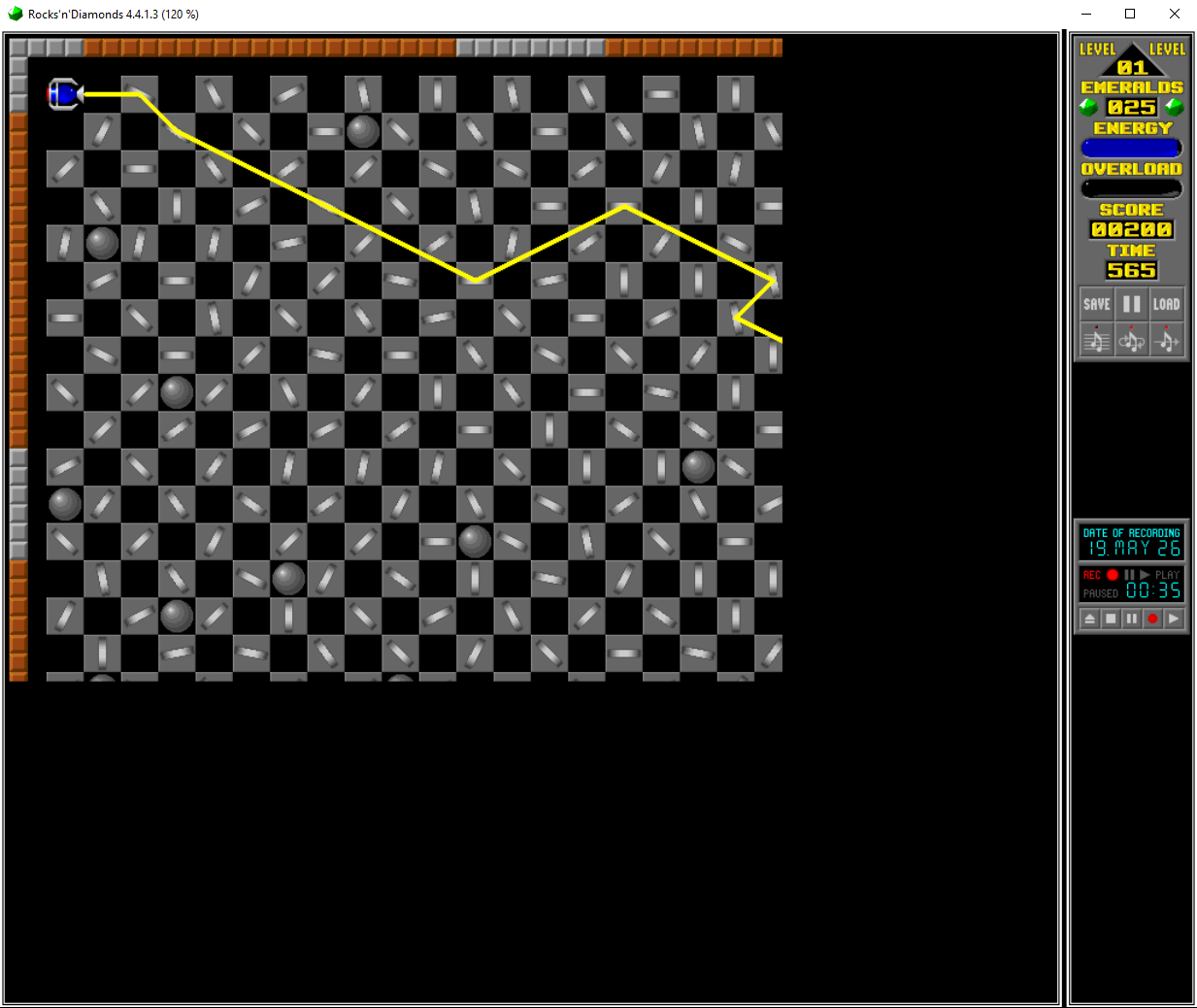
This is when I launch the game with the levelset preloaded
scorn1.png (190.98 KiB) Viewed 37 times


What's pretty interesting is that the playfield cuts off EXACTLY where vanilla game's window boundaries usually end - at 672x560.
I spent, like, a few hours observing what may be wrong, maybe I have to add some seemingly unnecessary attributes... Nah, doesn't seem to change anything... It took me quite some time just writing useless lines and reopening the game to find out this changes nothing.
That is, until I just randomly decided to switch to a different levelset with different viewport sizes and then switch back. And suddenly...
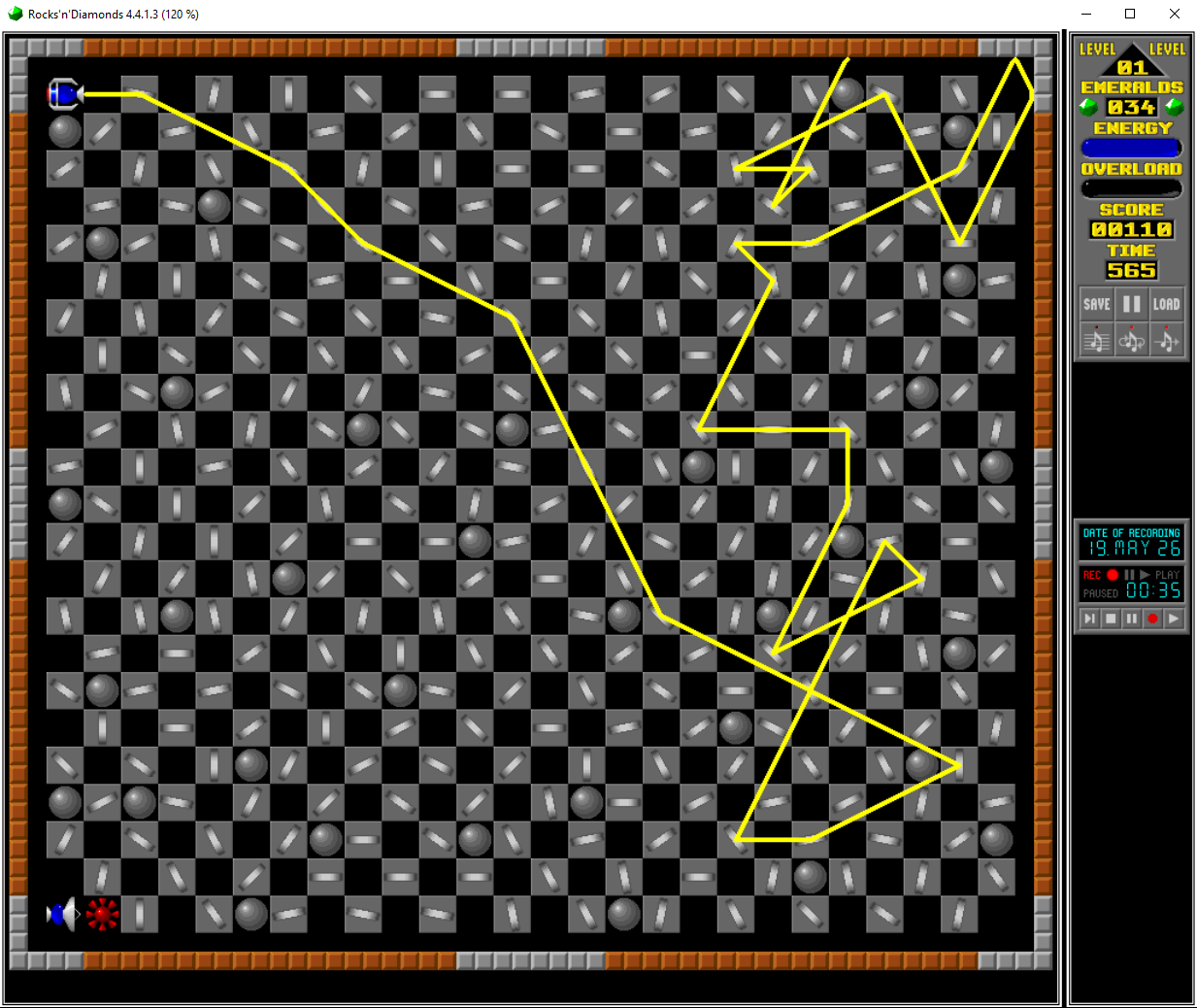
This is when I switch to that levelset from another one
scorn2.png (370.66 KiB) Viewed 37 times


I genuinely don't know what exactly causes this, perhaps the game somehow forgets to register graphics beyond the vanilla window size, but what's even weirder, is that the main reason I was trying to fix that manually because I technically did that already, somehow. To be more precise, in the very levelset I've shown the screenshot of in the topic itself, I just managed to fix that cut off absolutely randomly, oblivious to what the hell did I even change to cause it to render properly. No matter if you just load the game with it being last visited levelset or load the levelset while being primarily loaded in some other one... Doesn't matter, no visual artifacts what-so-ever, as if that wasn't a thing to begin with. But then you load up the one on previous screenshots... It does render properly when loading from another levelset, but not when launching the game with it preloaded.
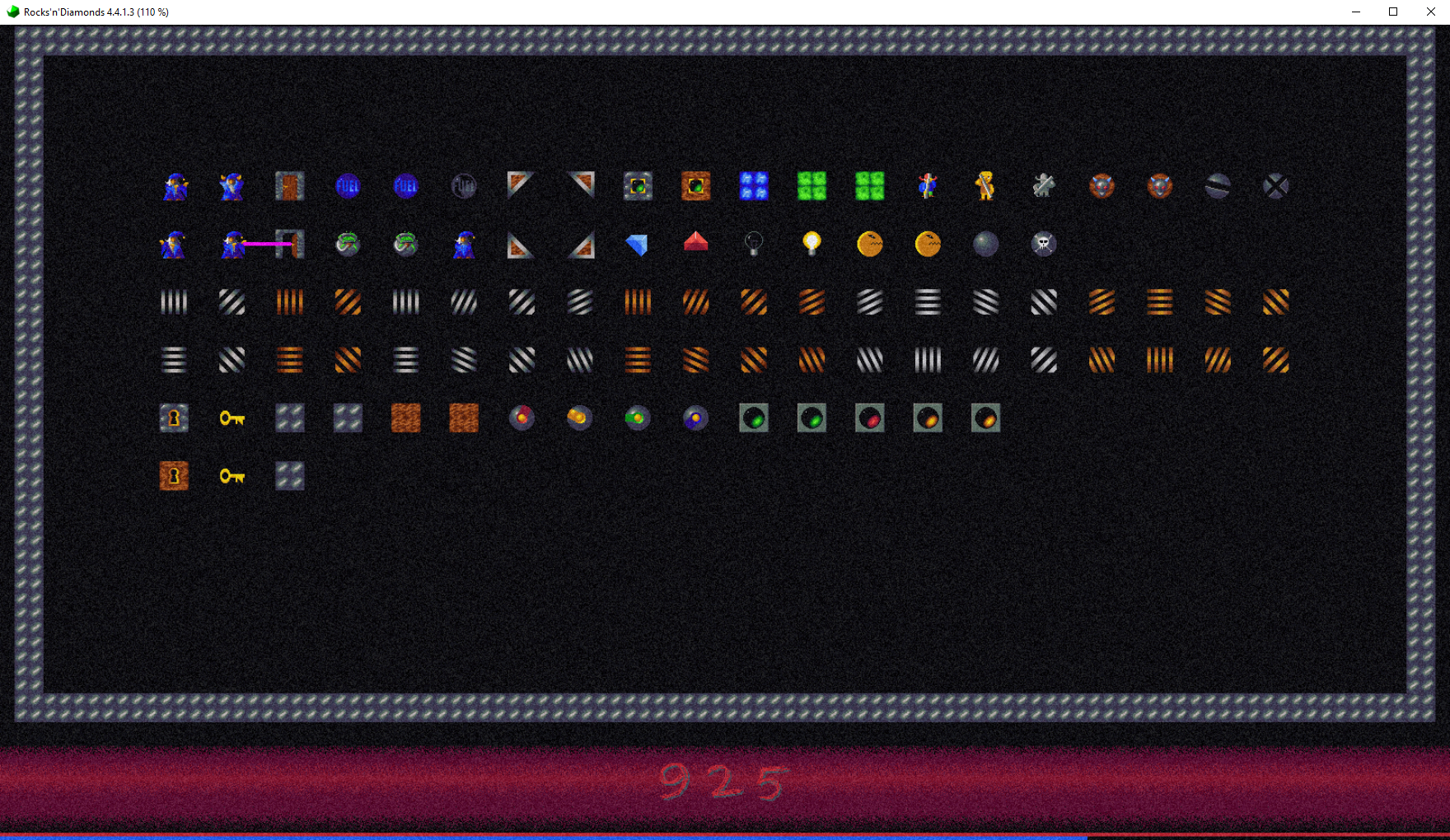
Another MM levelset with large window where the bug... doesn't occur? How did I fix that?
scorn3.png (3.16 MiB) Viewed 37 times


Just in case, here's that levelset from the first two screenshots. Just try playing around with it yourself.

mm_is_weird_sometimes.zip
The bugged levelset in question
(57.15 KiB) Downloaded 7 times


Addendum: Oh yeah, I'm not sure if I mentioned that anywhere, but try to click around on different spots of any mirror, for some reason their click boxes seem to be off by, like, half a tile for some reason.
Previously known as Eizzoux (boooo)
Post Reply