Okay, returning to this topic again, because there is still something wrong with MM engine's playfield rendering behavior. In short, when I'm working on something, I usually keep the levelset I'm working on as last visited, ya know... The usual. Anyways, the levelset has bigger window and bigger playfield than the vanilla boundaries. Other engines seem to work just fine, no mishaps, no weirdness... Mirror Magic engine for some reason cuts off like this:
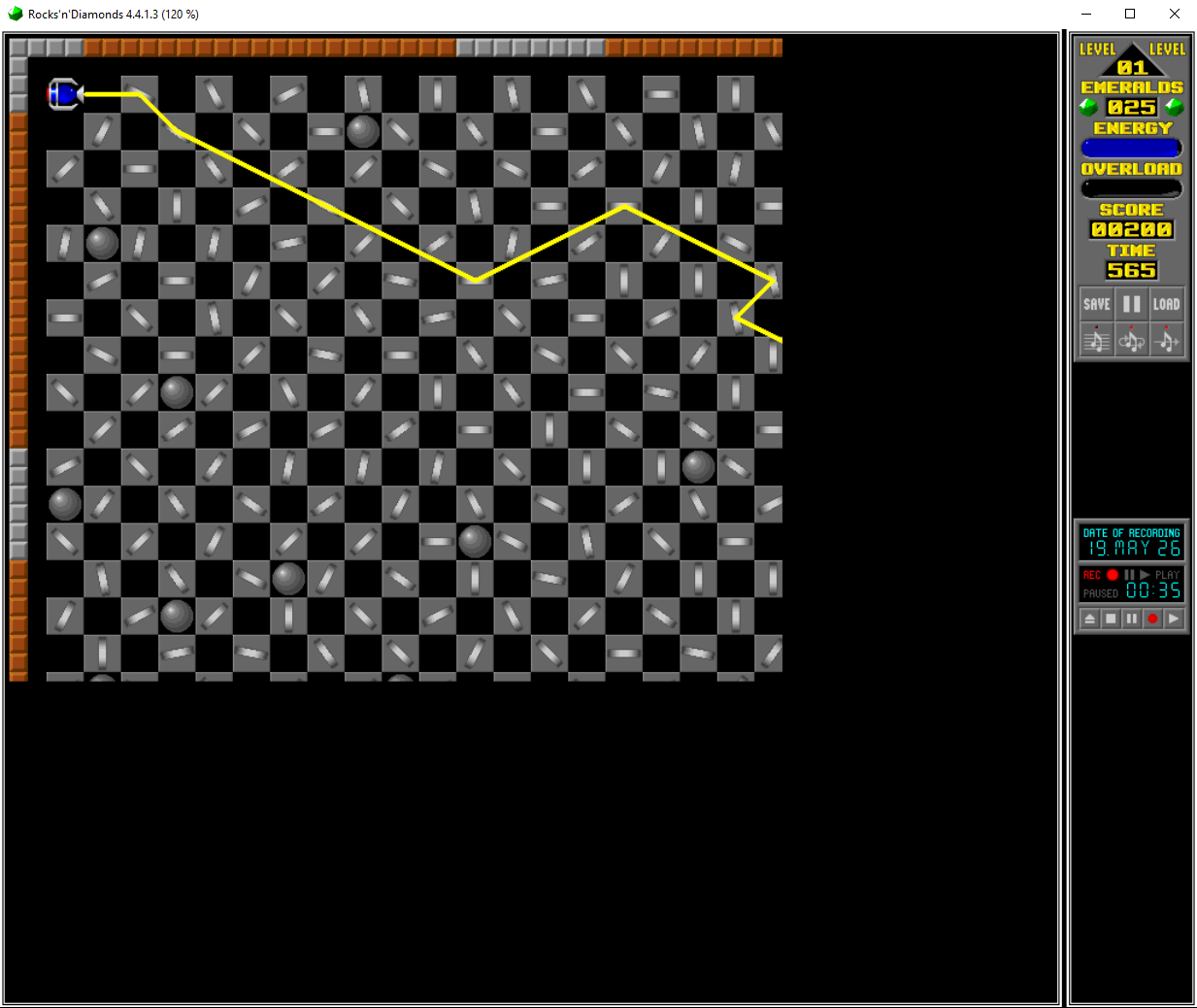
- This is when I launch the game with the levelset preloaded
- scorn1.png (190.98 KiB) Viewed 376 times
What's pretty interesting is that the playfield cuts off EXACTLY where vanilla game's window boundaries usually end - at 672x560.
I spent, like, a few hours observing what may be wrong, maybe I have to add some seemingly unnecessary attributes... Nah, doesn't seem to change anything... It took me quite some time just writing useless lines and reopening the game to find out this changes nothing.
That is, until I just randomly decided to switch to a different levelset with different viewport sizes and then switch back. And suddenly...
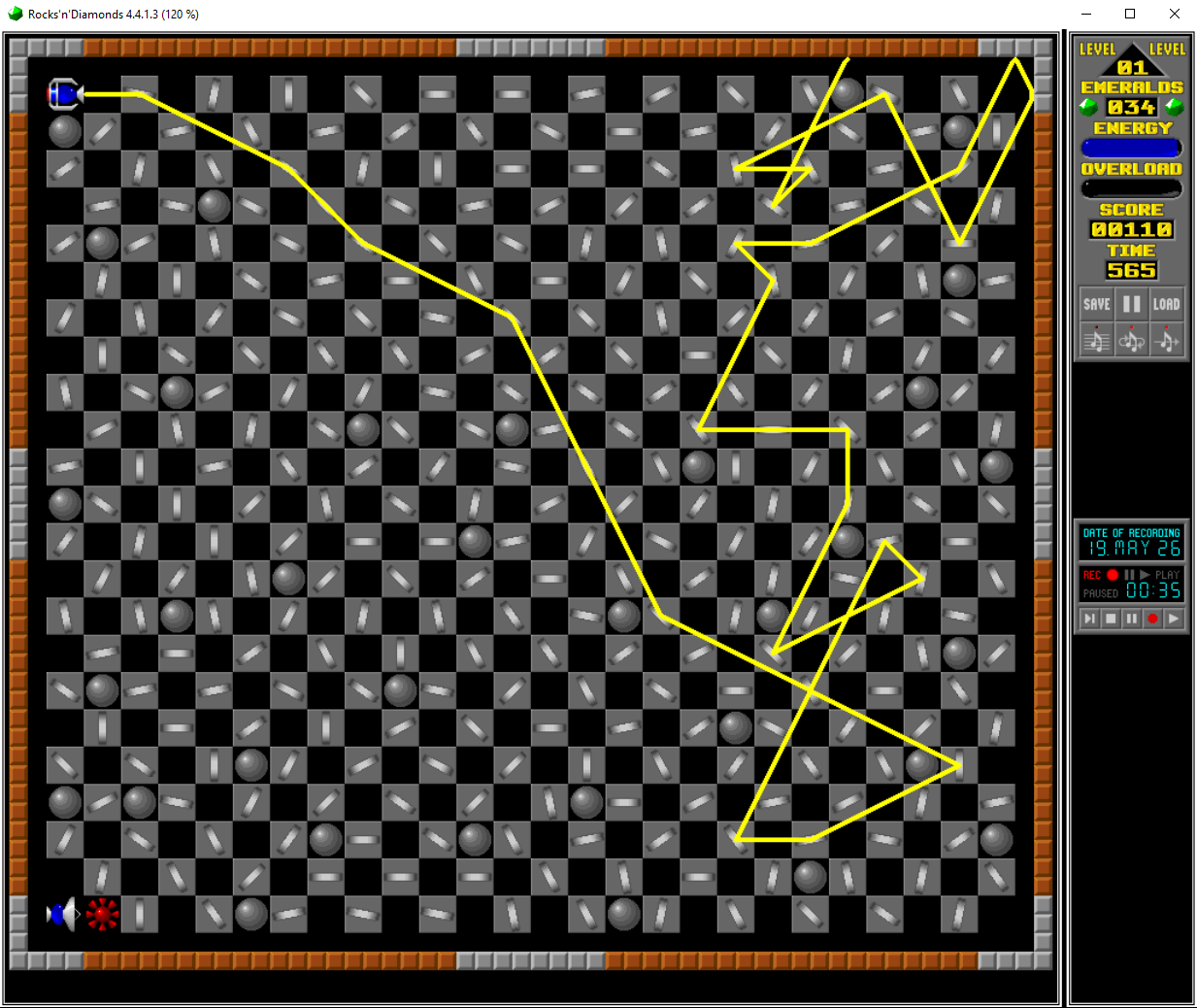
- This is when I switch to that levelset from another one
- scorn2.png (370.66 KiB) Viewed 376 times
I genuinely don't know what exactly causes this, perhaps the game somehow forgets to register graphics beyond the vanilla window size, but what's even weirder, is that the main reason I was trying to fix that manually because I technically did that already, somehow. To be more precise, in the very levelset I've shown the screenshot of in the topic itself, I just managed to fix that cut off absolutely randomly, oblivious to what the hell did I even change to cause it to render properly. No matter if you just load the game with it being last visited levelset or load the levelset while being primarily loaded in some other one... Doesn't matter, no visual artifacts what-so-ever, as if that wasn't a thing to begin with. But then you load up the one on previous screenshots... It does render properly when loading from another levelset, but not when launching the game with it preloaded.
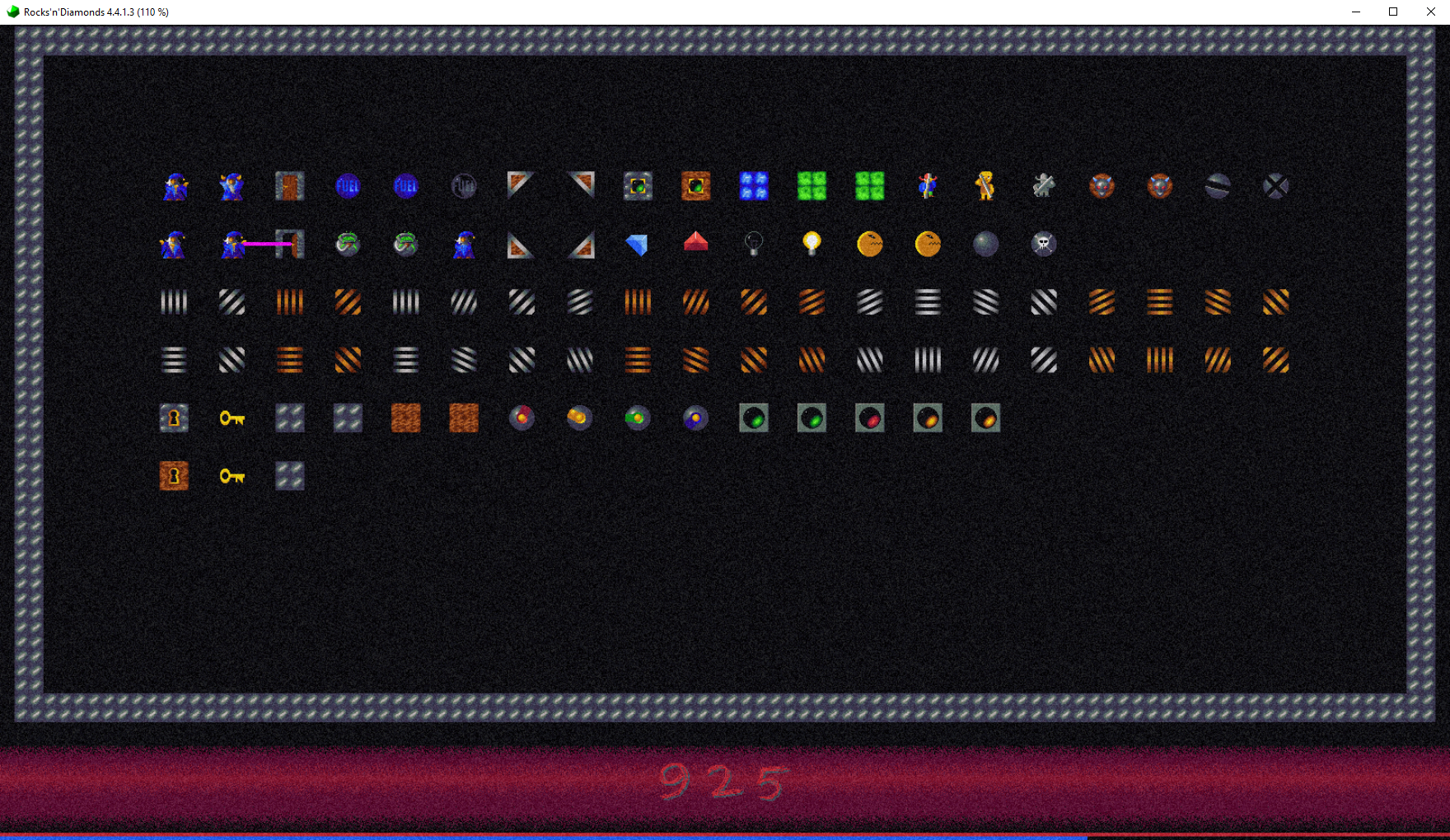
- Another MM levelset with large window where the bug... doesn't occur? How did I fix that?
- scorn3.png (3.16 MiB) Viewed 376 times
Just in case, here's that levelset from the first two screenshots. Just try playing around with it yourself.
Addendum: Oh yeah, I'm not sure if I mentioned that anywhere, but try to click around on different spots of any mirror, for some reason their click boxes seem to be off by, like, half a tile for some reason.

 )
)